
Complex investigation. Clear visual learning.
Transform your Incident Report into a Causal Effect Diagram
No login. No account. No permanent storage.
Turn complex investigation reports into clear, professional visual learning in minutes.
Upload → Generate → Download → Done.
Generate My CEDDrag & drop your PDF or Word investigation reportClearCause turns complex investigation reports into clear visual learning — helping organisations communicate what happened, why it happened and what can be learned, from the frontline to the boardroom.
Your report in. Your diagram out. Nothing else required.
No login
No username or password required.
No account
Nothing to create or maintain.
No permanent storage
ClearCause is designed as a generate-and-download workflow rather than a document storage platform.
Simple workflow
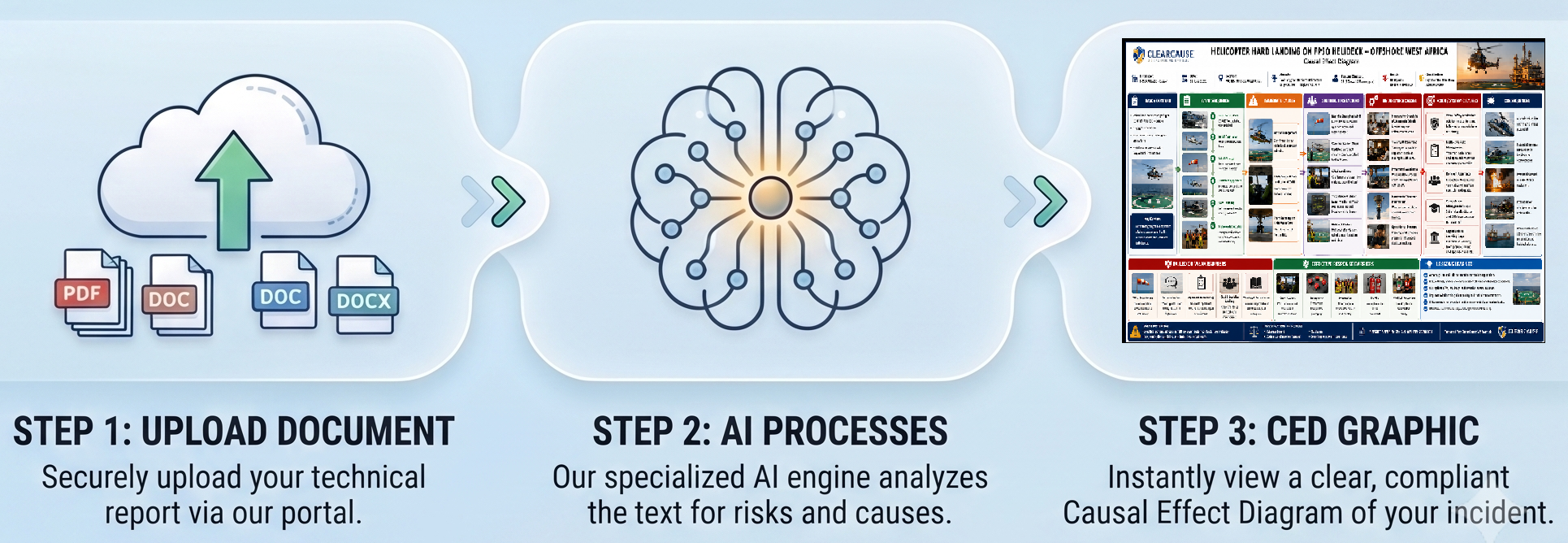
Upload → Analyse → Generate → Download → Leave.
How ClearCause works
- 1
Upload your report
Upload your completed incident or investigation report.
- 2
ClearCause analyses the report
ClearCause analyses the information contained in your report and structures the identified events, causes, barriers, consequences and organisational factors into a visual Causal Effect Diagram.
- 3
Download your diagram
Generate and download a professional visual Causal Effect Diagram ready for review and communication.
ClearCause supports investigation communication and organisational learning. It does not replace a competent incident investigation or professional review of the findings.
From a stack of reports to one clear picture
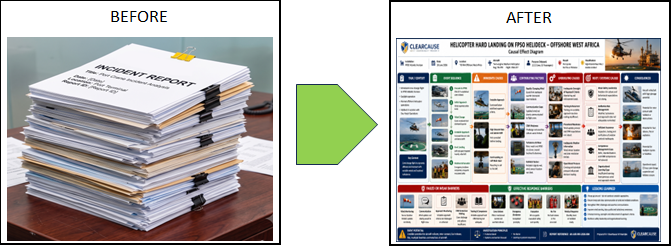
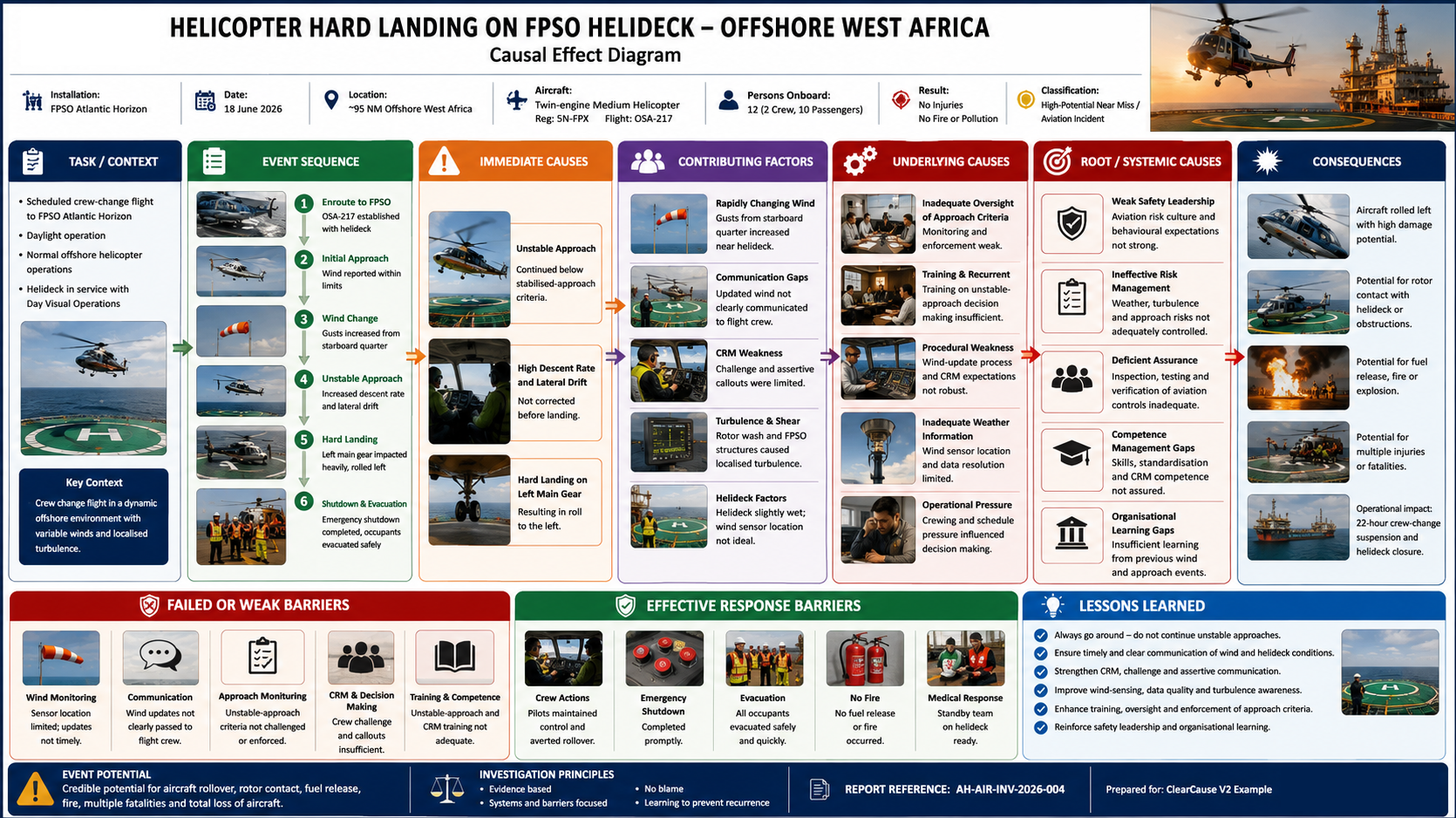
One investigation. One clear picture.
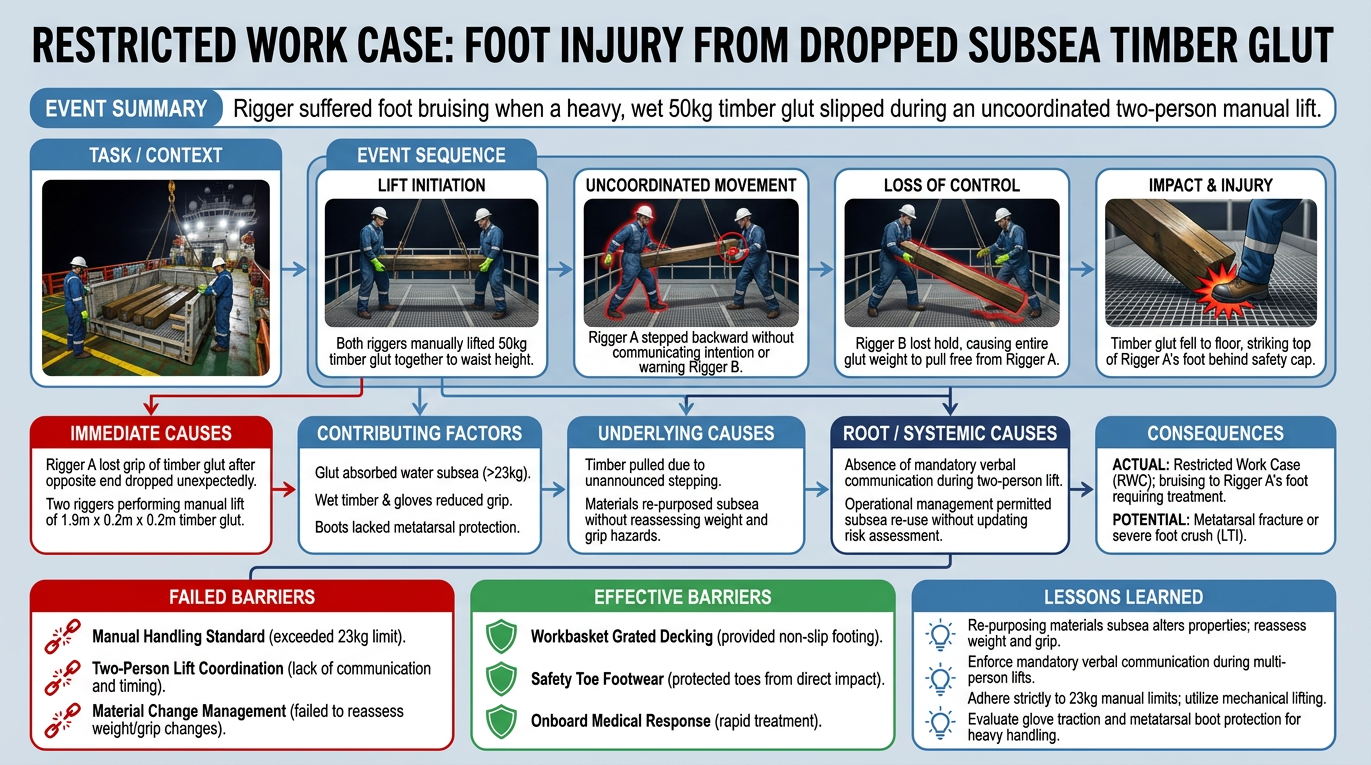
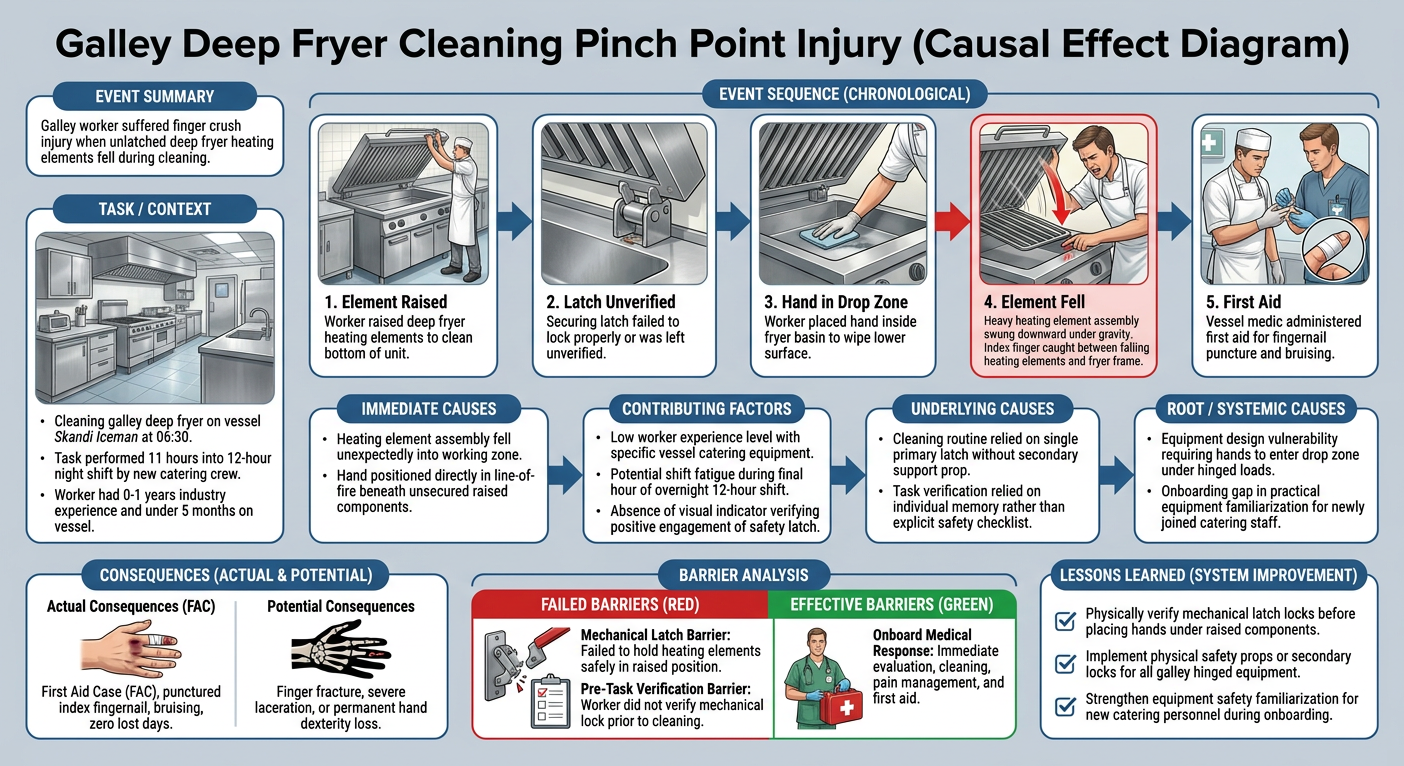
From occupational injuries and dropped objects to marine, aviation, lifting and operational events, ClearCause converts complex investigation findings into visual learning people can actually use.
Frequently asked questions
- Which file types can I upload?
- PDF and Word (.doc, .docx) reports.
- How long does it take?
- Most reports are converted into a Causal Effect Diagram in a couple of minutes.
- What do I get back?
- A downloadable PNG Causal Effect Diagram you can drop straight into lessons-learned packs and board reports.
- Do I need to create an account?
- No. ClearCause does not require users to create an account or login before generating a Causal Effect Diagram.
- Does ClearCause replace an incident investigation?
- No. ClearCause is designed to communicate the findings contained within an investigation report. It does not replace the investigation process or competent professional judgement.
- Should the generated CED be reviewed?
- Yes. Generated Causal Effect Diagrams should be reviewed against the source investigation before being formally issued or communicated.
- Does ClearCause retain my investigation report?
- No. Your report is processed to generate your diagram and is not stored by ClearCause after the diagram is produced. The diagram is returned to your browser for download.